Spotlight Search

We are going to talk about this Spotlight Search function of your shiny Idevice. It’s main function is to search for content within your device. So if you need to quickly find a contact, just pull up Spotlight, type in who you want to search for and hit search. It’s very simple to access Spotlight Search. On any of your homescreens, just swipe down. That’s all there is to it! It can search for applications installed, contacts, notes, emails. If it isn’t on your device, you do have the option to search the web for whatever you typed in.
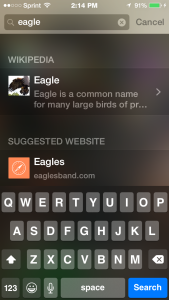
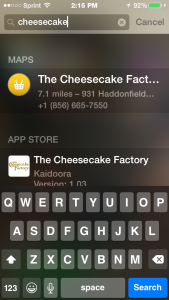
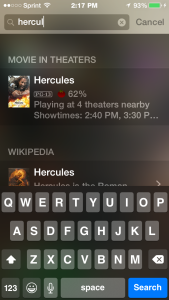
I have the iOS 8 beta running on my phone right now, and you all will be pleased to know that Spotlight is going to have some more functionality to it!
- You can search Wikipedia articles,
- Top news,
- Nearby places,
- Itunes store,
- App store,
- ibook store,
- Suggested websites on what you are searching for,
- Movie showtimes and much more!
As you can tell Apple is really trying to make Spotlight extremely powerful. The release of iOS 8 will be in the fall of 2014, so please be patient! Trust me, it’s going to be great! I know you’re asking how I have it already, and the answer to that is: I have a friend that has a developer account, who added me to his account. Betas are geared towards developers only and not recommended for people that don’t want unstable software. Beings that I have background in the Android world, I can live with glitchy software, but the average user will pull their hair out! Just sit tight folks :]